Websites and apps your customers understand
Zlín is the Czech city where Tomáš Baťa built a world famous shoe company and a red brick town around it. We work in those buildings and build websites and apps with the same focus on quality.
Selected work
Discuss a similar projectExplore our work floor by floor.
- Cheport, website and online store
The Cheport website and store. Cheport has made cleaning and disinfection products in Vizovice, Czech Republic, since 1991 and sells to businesses and households. The website, the store, business accounts and the staff admin run in one application.
Market and competitor analysis. Before the first screen existed, we mapped who buys from Cheport and how competitors sell. That gave the website and the store their structure.
A design system in the Cheport brand. Colors, type, buttons and product cards in one system. It builds the website, the store and the customer account.
A range shaped by who buys. The catalog filters by use, brand and price. At sign up a customer becomes a household or a registered business, and sees prices to match.
A product that knows its rules. Every pack size shows its price per liter and the weight used for shipping. Hazardous goods ship only with a contracted carrier, and every product has its safety data sheet.
Businesses buy at their own prices. At sign up a business is checked against the Czech company register. Once approved, it sees its price list, its group discounts and payment by invoice. The store prices each line the same way Helios does.
Checkout and shipping. Checkout prices shipping by weight and offers only the payment methods a customer may use. Staff hand parcels over to Czech Post in bulk, labels included.
An admin built around the staff. Staff see orders by status in one place. From there they print documents and hand parcels over to Czech Post in bulk, labels included. The orders on the screen are invented.
Helios integration. Orders, customers and businesses flow from the store into Helios without retyping. Every record is written only once, even when the connection drops for a moment, and staff get an alert when a person needs to step in.
- V PRINT, production system
A production system for V PRINT. For the V PRINT print shop we built an application that takes a job from order to dispatch. It reads orders from the ABRA accounting system and runs production itself. All data on the screens is invented.
From order to dispatch. First we walked through the shop with the team: where a job goes and who works on it at each moment. That gave us the data model and five steps the application guards.
Orders from ABRA. Orders, items and customers arrive from ABRA. Status, dispatch date and comments belong to the application, so the sync never overwrites them.
A recipe that stays current. Every product has its recipe in nine stages, from DTP to finishing. A new version is a copy of the valid one and the older one stops applying, so the shop floor always works from the current version.
DTP in one place. The DTP team has its own kanban of recipes by preparation status. Each stage of a recipe has its own fields, such as printing or plotter cutting.
Nothing prints without approved DTP. A job ticket moves through five steps. It cannot reach printing until its recipe is finished in DTP. The interface, the kanban board and the server all enforce it.
A shop floor with a scanner. On the shop floor the operator scans the barcode on the ticket. The terminal shows the order, the current step and the machine in use, and prepares the job for the cutting plotter.
Connected to ABRA. Orders, items, the price list and the customer directory arrive from ABRA every two minutes, and at night the whole state is reconciled once more. The application never writes to accounting and never overwrites a newer record with an older one.
Roles and a shop floor printout. Each role sees and may do only what it needs, and an admin sets it with a tick. A job ticket prints on an A4 page with a barcode for the shop floor scanner.
- Switchio, website
The Switchio platform website. Switchio by MONET+ connects terminals, SoftPOS and self-service devices to several acquirers at once. We built a new website that explains the platform to banks, merchants and self-service operators.
Website and competitor analysis. We went through the old website, search data and competitor sites. So the website opens with the platform, and every audience, from banks to public transport, has its own way in.
A proposed visual direction. Before the first page existed, we showed the direction on a single board: an icy surface, navy headings, coral only for actions and handwritten slogans.
A design system in the Switchio brand. Colors, type, buttons, icons and payment flow diagrams in one system. Every page of the website is built from it.
The platform on one page. A banker and a merchant both see how a payment travels from the terminal to the acquirer and what happens when one fails. Below the diagram is what the platform does.
A SoftPOS configurator for partners. A partner sets the logo, texts and colours of the app that turns an Android phone into a payment terminal. They see the result live on the phone and download the files for development.
A catalog of certified terminals. Countertop, portable and unattended terminals with their specifications in one place. The client manages the catalog in the admin.
Guides that bring visitors. The Learn section answers the questions people search for, such as the difference between orchestration and a payment gateway. Every guide leads to a conversation with an expert.
A page for every audience. Banks, merchants, self-service and transport each have their own page with their own arguments. SoftPOS has its own page that leads straight into the configurator.
- FLOWRIDE, website and course shop
An online shop for the FLOWRIDE bike school. FLOWRIDE teaches adults and children to ride mountain bikes, runs camps, clubs and trips and sells its own riding wear. We built a website and online shop where a customer picks a date, enters the participants, buys a voucher or a tailored lesson and pays for all of it at once.
Built on photos and video. A black and white base, big headings and photos and videos from the trails. Every course has its own page with a video, the skills a rider learns, the programme, the price and the dates.
Date and participants right on the course. The customer picks a date that shows the length, age group and place, and sets the number of places. For each place they enter a participant and can add a gift voucher straight away. The price updates as they go and taken places are counted off.
Individual lessons priced to order. The lesson price is built from the place, length and group size according to the school’s price list. The customer either sends an enquiry or buys the lesson as a gift with an electronic or printed voucher addressed to the recipient.
Two kinds of gift voucher. A voucher for a specific date is bought right on the course. A voucher with a value is a code with a balance that works for courses and clothing alike. Both come free as a PDF or printed in a gift envelope with a personal greeting.
Orders that carry the participants. Every product is a course with its own dates, and every place in an order carries a participant with name, age, contact, voucher and greeting. Staff see the participants in the admin, in e-mails and on the thank-you page. A value voucher is a code with a balance valid for 12 months, and a used-up code stays in the history.
The school manages its courses itself. Each course has its own tabs in the admin. Dates carry the day, length, age range, price, capacity and place; the course itself has a subtitle, videos, skills and a gallery. The school adds next season’s dates on its own and past dates drop off the site.
A shop for its own riding wear. Jerseys, tees and hoodies for men, women and kids with sizes, materials and a size guide. Clothing goes in the same basket as courses, and delivery is charged only for what actually ships.
A fast site, video included. The video home page weighed 18 MB on a phone; after the work it is 4.7 MB. Background videos come from our own server in two qualities and load after the page. Analytics and ad tools start only after cookie consent, and forms are protected against bots.
- Adoptimal, CRM and projects
The in-house CRM Adoptimal runs on. Sales, projects, client service, billing and documents in one app we built for ourselves. It was ready for AI from day one: assistants work in it over MCP with the same permissions as people. The data on the screens is invented.
From enquiry to service without retyping. A job moves through the whole company as one record. Nothing is typed twice: the deal becomes an offer, the contract a project, time logs an invoice and the service contract tickets.
A deal with its whole history. The deal shows its sales stage, e-mails from Outlook, meetings, tasks, documents and invoices. At the top are the current decisions and open questions that AI drew from the conversation with the client.
Knowledge from communication. E-mails from Outlook and meeting notes pair themselves with deals and tickets. Every few minutes AI picks out what matters and records it on the deal with a verbatim quote. When it is not sure, the item waits for a person.
An AI assistant that really works in the CRM. The CRM gives assistants more than 120 tools over MCP. In one request an assistant loads the client context, creates a task, logs time, drafts an offer from a template or an invoice and saves meeting notes. It sees and may do only what the user it works for can.
Roles and permissions down to the content. Each role has permissions per module. A developer works on tasks but never sees offers, prices or invoices, only a lock in their place. Other people’s e-mails and meetings stay hidden, and the same rules apply to AI assistants.
Public tenders scored by AI. The CRM watches the public procurement journal and tender portals. A fixed filter drops what does not interest us and AI scores the rest with a reason. It learns from what we approved or rejected before. An approved tender becomes a deal and AI breaks the tender documents into tasks for the bid.
Projects, tasks and time logs. Tasks have stages, subtasks, links, watchers and a time estimate. The timer logs time straight to the task, so you see how much of the estimate is left and what will be invoiced.
Client service and billing from time logs. Service tickets are tied to a service contract, and clients can open them in the client centre too. At the end of the month hours are totalled per company, and the invoice with its work report goes to ABRA Flexi in one step.
Offers and contracts signed online. Documents are built from branded templates, with versions and numbers. Signatures are collected online, the CRM shows who has signed and who we are waiting for, and it locks the signed version.
What runs on its own and what the CRM connects to. In the background e-mails and calendars from Microsoft 365 are paired, public tenders are watched, subscriptions end and invoices for service and Microsoft 365 licences are prepared. Invoices go to ABRA Flexi, files to SharePoint, and the website and client centre connect over an API and webhooks.
- BODY EMS, website and client portal
A website for a professional EMS suit. A full-body workout in 20 minutes, anytime and anywhere. The website explains the suit and programmes, shows client results and leads to an enquiry that lands straight in Pipedrive.
Market and competitor analysis. We mapped who looks for EMS training and how competitors sell it. So the website speaks separately about body shape, health and fitness, and has its own page for salons and studios.
A design system in the BODY EMS brand. Black with yellow, cream surfaces and condensed headings. One system builds both the Czech and the Slovak website, from the home page to pricing.
A page for every reason people look for EMS. Figure, health and fitness each have their own page. Each speaks the language of its audience and ends with the same enquiry.
Pricing and a page for studios. The pricing page shows three versions of the suit and everything in the package. Salons, studios and physiotherapists have their own page with the treatments they can offer with it.
Inquiries straight into Pipedrive. The form creates a person and an inquiry in Pipedrive, with the chosen package and the campaign it came from. When sales wins the deal, the website creates the customer account in the client portal on its own.
E-mails by deal stage. Anyone who sends an inquiry gets a series of e-mails matched to what interests them. After a purchase, e-mails guide them through the first weeks and later ask for a review. Unanswered inquiries get a reminder after two weeks.
A client zone after purchase. The customer account is created automatically as soon as the salesperson wins the deal. Video courses, live sessions and guides are shown by country and package, and session recordings appear on their own.
Czech and Slovak from one admin. The Slovak website has its own texts, pricing and e-mails and is managed in the same place as the Czech one.
- CrosslogiQ, transport planning
Crew planning for CrosslogiQ. Dispatchers at the logistics company CrosslogiQ, with depots in Czechia and Slovakia, planned crews in spreadsheets. We built them an app that puts together the crews for a shift from attendance, licences and default pairs, and sends the plan on. The data on the screens is invented.
How a shift plan comes together. In the morning the app loads people and their absences from the HR system and the vehicles that are out of service. The generator puts the crews together, the dispatcher drags them around if needed and in one step sends the plan to dispatch, text messages to the crews and attendance back to the HR system.
The crew generator. The generator builds crews in five steps from rules the dispatchers used to keep in their heads. The server checks the same rules, so a manual change that would break them does not go through. Backups are only ever planned by hand.
Vehicles and default crews. Every vehicle has a default driver and assistant, a payload and the required licence level. Vehicle downtime is planned in a calendar and the generator takes it into account.
Shipments and departure times. Shipments arrive from the dispatch system over a webhook and from the loading ramp as an Excel file by e-mail. They set each vehicle’s departure and arrival. A dispatcher’s manual change wins and survives regeneration.
Connections to the systems around it. The app takes people and absences from the Sloneek HR system and writes attendance back to it. It sends the plan to the dispatch system, texts the crews through GoSMS and shows the sending progress live.
Several companies and depots in one app. The app serves several companies with depots in Czechia and Slovakia. A dispatcher sees only their own depots, connector credentials are encrypted and every action goes into the audit log. A day whose attendance has been sent is locked.
- MONET+, website
A new website for the MONET+ software house. Since 1996, MONET+ has developed systems for digital identity and card payments. We built the website from the supplied design, with video, counters, references and a team of experts.
References with an industry filter. The references range from Kooperativa insurance to buses in Lagos. Each has a segment and technology tag, so a visitor from transport or banking finds what matters to them right away.
Identity and payments in their own sections. Digital Identity and Digital Payments each have their own menu and page tree. A bank and a transport company both find a page for them.
- V PRINT, website
A new website for technical printing and labelling. A family print shop from Tlumačov, Czech Republic, has made labels, panels and signage since 1997. The intro says right away that it makes a single piece as well as repeat series.
Strategy from production and search. We mapped who orders from V PRINT and how technical labelling is searched for and sold. That gave the website its services, technologies and industry pages.
Visual direction. Serif headings, a dark intro with a fine grid like a technical drawing and the logo red only for actions. We showed the direction on real photos from production.
An element catalogue before the pages. Every button, field and card sits in the catalogue in all its states, from hover to keyboard focus. Only what passed the catalogue makes it onto a page.
Services by what the customer needs them for. Ten services are sorted by use: machines and products, operations and buildings, advertising and presentation. Each service has its own page with photos from production and a path to an inquiry.
Service pages with a technical sheet. On a service page an engineer finds materials, thicknesses, marking methods and quantities, just like in a technical data sheet.
A page for every industry. Machine and switchgear makers, lift companies or warehouses each find their own page with examples of the labelling that makes sense in their operation.
Inquiries with a drawing. The customer fills in material, size and quantity and attaches a drawing, for example a DXF or STEP file. The inquiry stays saved even if the e-mail fails to send.
- Adoptimal, website
The Adoptimal website and client centre. Adoptimal from Zlín, Czech Republic, brings AI into companies and digitises their processes. We built its website in three languages with an AI readiness test, and a client centre where customers see their requests, projects and invoices.
Who the website is for. The website targets companies with 10 to 100 people whose processes cannot keep up with growth or are held back by old systems. So it has a guide by industry and a clear Design, Build, Maintain approach.
A design system in the Adoptimal brand. Blue, dark blue and mint, a single typeface and the switch from the logo, which flips on in the intro. One system builds every page in three languages.
An AI readiness test. Visitors pick up to three tasks that slow them down and answer a few questions about how each one really works. Straight away and without an e-mail, the result shows where AI can start, where the process needs fixing first and where it does not pay off.
A client centre for customers. Once the contract is signed, customers log in to the client centre. The first page shows open requests, projects, invoices to pay, subscriptions, documents and the contact for their person at Adoptimal.
Requests, projects and invoices. Customers open a request and talk to us right inside it. For each project they see its stage and finished tasks, download invoices and sign contracts online. The data comes live from our CRM; on the screens it is invented.
- P.M.CAROLINE, billing system
Billing for rented printers. P.M.CAROLINE from Vsetín sells, rents and services printers and copiers under the Tiskárny kopírky brand. It billed monthly fees and printed pages by hand in its Helios ERP every month. We built an app that takes the counter readings from e-mails, prepares the invoices itself and matches payments from the bank. The data on the screens is invented.
From counter to paid invoice. Printers at the customers e-mail their counter readings. The app reads them, works out the printed pages, builds the invoice from the monthly fee and the prices valid that month, sends it as PDF and ISDOC and assigns the bank payment to it on its own.
Counter readings from e-mails. Every printer brand sends its counters in a different format. The app recognises the vendor, finds the machine by serial number and records the reading. Whatever it cannot read stays in a list for manual matching, and nothing is lost because every e-mail is stored in full.
A machine with its reading and price history. Every printer has its contract, location, reading history and a price list with validity dates. When a price changes mid-period, the invoice uses the one valid that month. A negative difference flags a replaced or reset machine.
Invoices by machine, as PDF and ISDOC. The invoice lists the monthly fee and mono and colour pages for each machine, with the opening and closing counts. Numbers run month by month as they did in Helios, due dates and copies are set per customer, and the PDF carries a QR payment code.
Bank payments match themselves. The app downloads transactions from Fio bank and matches them by payment reference. It only matches when the amount and the payer fit too. One payment can settle several invoices, and anything that does not fit waits for staff.
Safeguards so nothing slips. Billing handles money, so the app has a safeguard at every step. We checked it against Helios on a real month before it replaced it.
Services
Discuss your projectWebsites
A website that tells people what you do and brings them to you.
Online stores
For business and consumer customers, with inventory and payments.
Portals
Client portals, orders and bookings in one place.
Custom applications
When what you need does not exist yet, we build it.
How we work
Start with a conversationEvery website follows the same process. We skip no step and agree on each one with you.
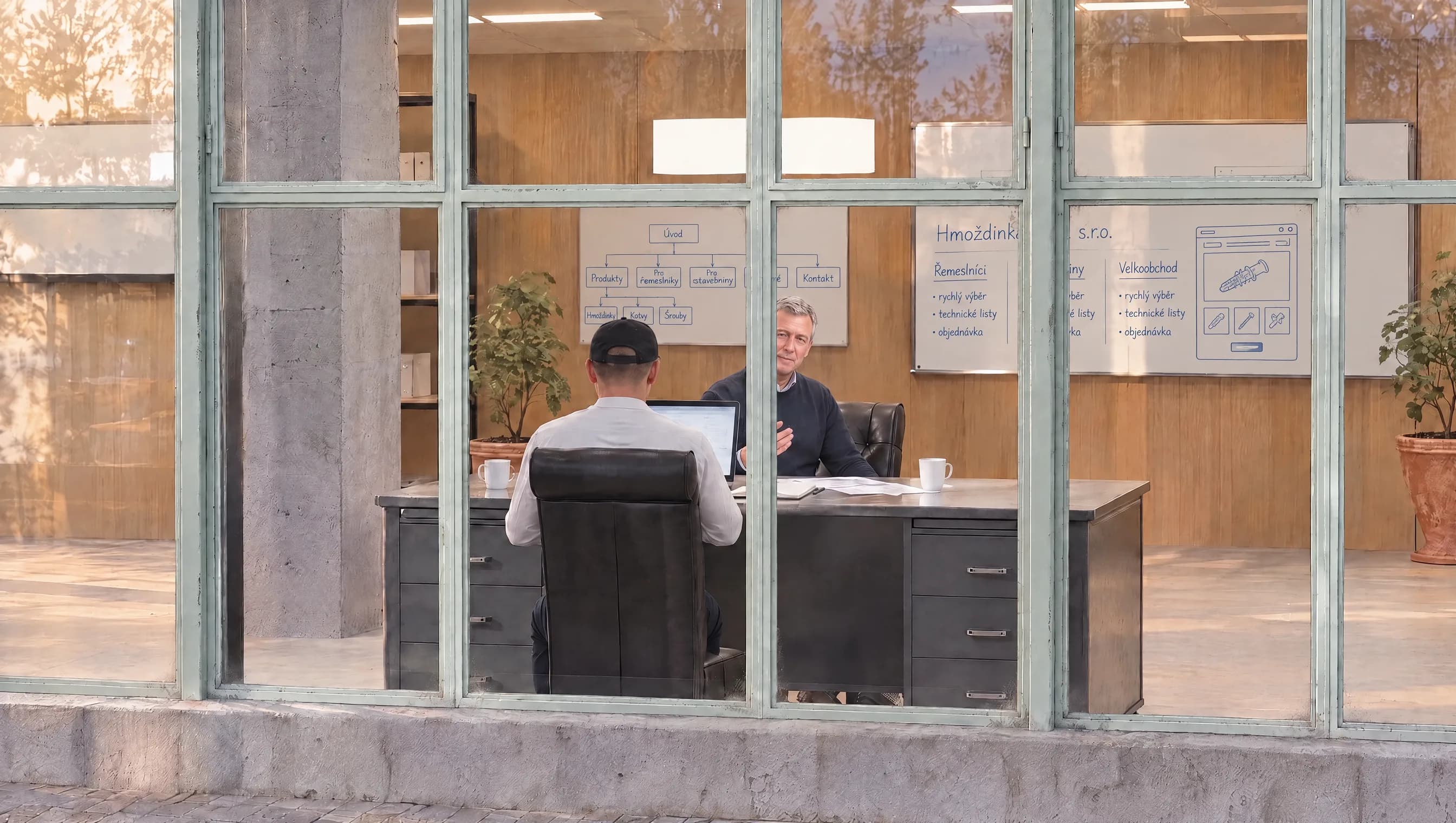

We ask
First we want to understand your company, your customers and what the website should achieve.
We meet online, or in Zlín if you are nearby. We talk about who you sell to, what takes most of your time today and which systems the website needs to work with. The conversation turns into a brief that we agree on together before we design anything.
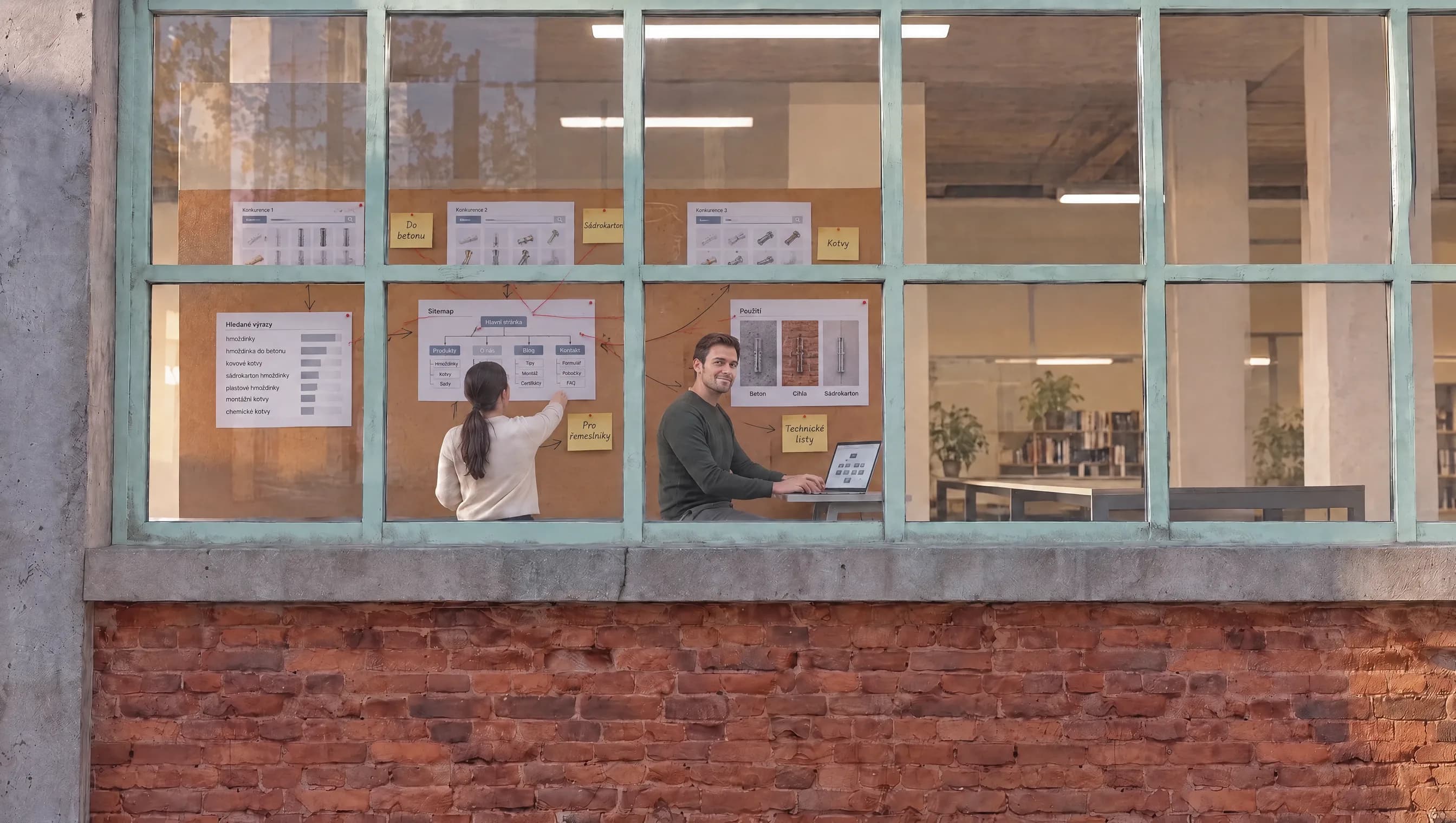

We research
We find out what your customers search for and how your competitors present themselves. Based on that, we plan the content and structure of the website.
We look at the words people in your field actually search with and at what competitor websites fail to give them. The result is a site map that shows which pages we create, what goes on them and how a customer gets all the way to an inquiry or an order.


We design
Based on your brand, we design how the website will look and feel.
We start from your logo, colors and photos. First we show the overall direction, and only after you approve it do we design the individual pages. Depending on the budget, we prepare one direction or several options to choose from.


We build
We build the website together with the copy. You see the work in progress online and leave comments right on the page.
We write the copy alongside the design, because the length of a heading changes the look of the whole page. We test connections to inventory, ERP or payments on your data. We work in full rounds of feedback and send you each round to review.


We launch
We switch the website to your domain, set up analytics and hand over the access. If you like, we show you how to edit the content.
We pick a launch date that suits you and switch the website over without downtime. In the first weeks after launch, we watch how people use it and fine tune the details right away.

We take care of it
After launch, we host the website, back it up every day, monitor that it runs and install updates. Based on the traffic, we keep improving it with you.
The website runs on our servers. If something breaks, we know before you do and start fixing it right away. We meet regularly over the traffic data and agree on changes that bring in more inquiries.

Who we are
Adcode is led by Adam Joura, who has 15 years of experience building websites and applications. He is responsible for both the technical side and the visual design, and he leads every project from the first inquiry to launch, working with the client and the team.
When a project reaches deeper into how a company runs, David Štefanko joins in. He leads the consulting and designs how the website or application connects to the way the company works inside.

Let’s meet online
Write us a few sentences about your project. We reply within one business day and set up a video call.